Features
A desktop tracker, and everything an approved hour feeds.
Ruwad Connect is two things: a desktop app for Windows that records work while someone is punched in, and a web workspace where projects, approvals, payroll and invoices live. This page lists what each one does.
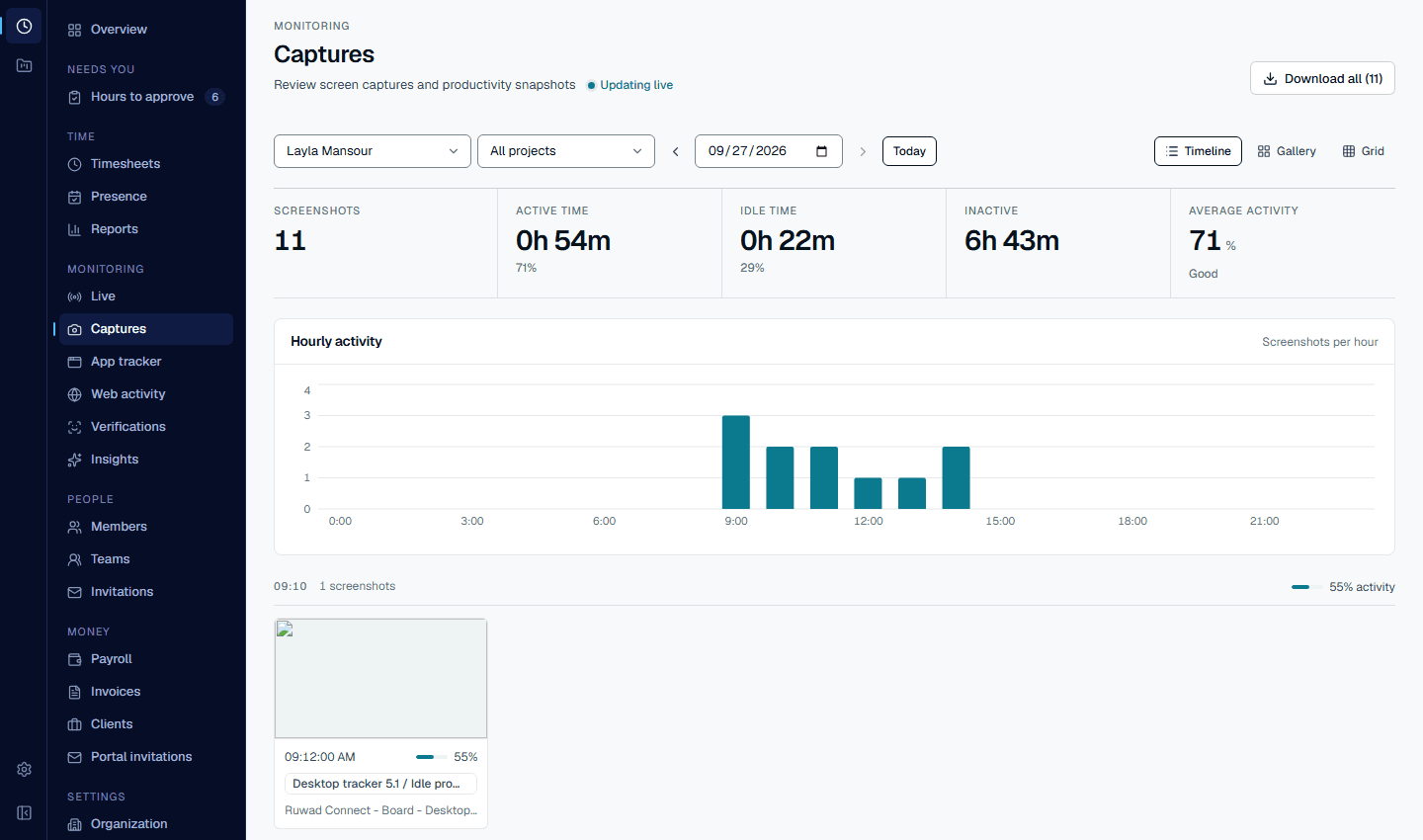
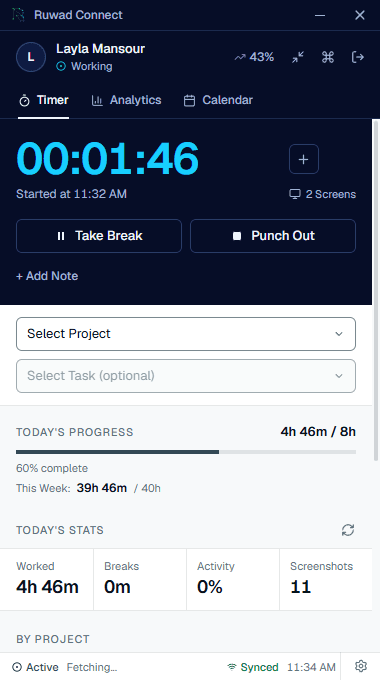
A day's captures in the web workspace, and the tracker that took them. Demo workspace; the screens are the product as it ships.
Desktop
The tracker
What it records is set by the workspace's plan and settings, and read from the server each time. It is not chosen on the computer it runs on.
Punch in and out
Pick a project and a task, and the timer runs from the desktop or the tray icon. Every entry belongs to the work it was spent on.
Screenshots
Taken at the plan's cadence from every monitor while someone is punched in, with blur available. The server holds the cadence at the plan's limit.
Free: 1 an hour · Starter: 12 · Professional and Enterprise: up to 30, the tracker's densest cadence
Webcam checks
Random checks inside working hours. Skipping one needs a reason, and admins review the checks in Verifications.
Starter: 2 a day · Professional: 6 · Enterprise: unlimited
Idle detection
When nobody has touched the keyboard or mouse for a while, the app asks what happened. Idle time is left out of the entry on the server, not just on the screen.
Breaks
Breaks are recorded on the entry as breaks, and tracking pauses on its own if the app loses contact with the server.
Consent first
Before the first capture, each person sees what is recorded and gives consent. The version they agreed to is checked by the server.
In the workspace
Three screens the home page does not show.
Live
Who is punched in, right now.
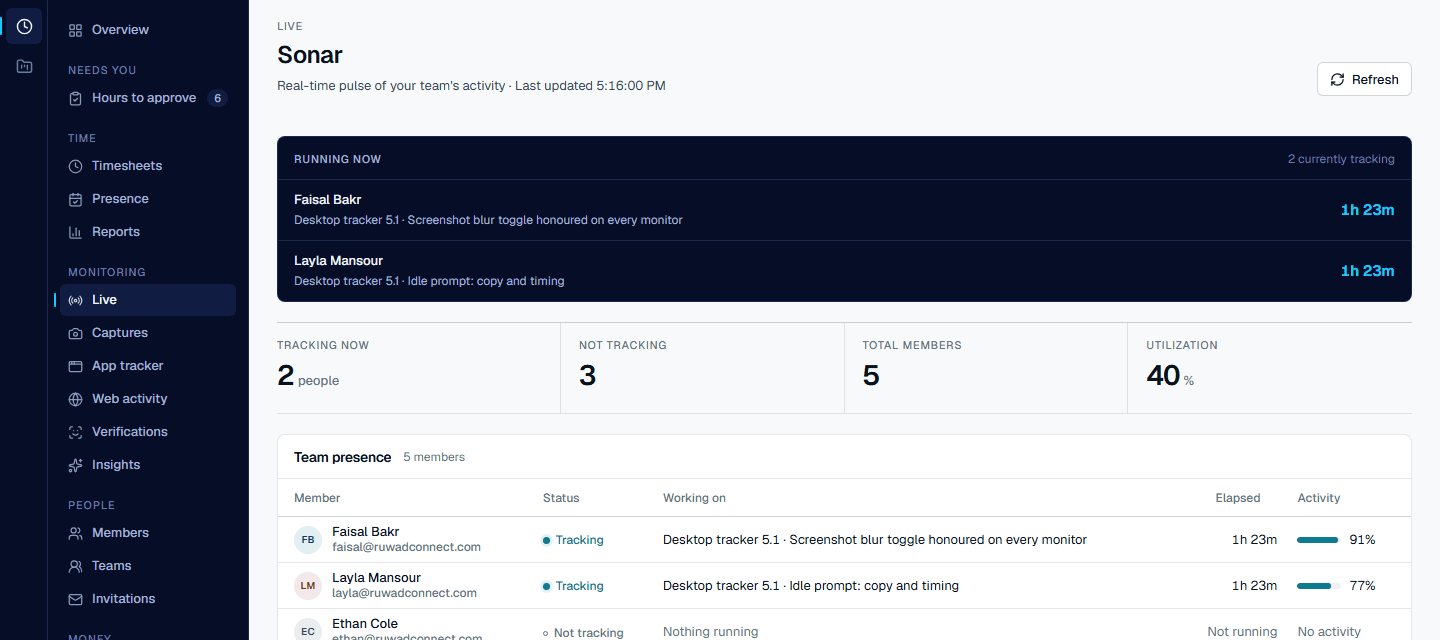
A live page of everyone tracking at this moment: the project and task each person is on, how long they have been on it, and their activity level. The team presence table underneath lists everyone else.
- Running now, with the project and task per person
- Tracking, not tracking, members and utilisation for the day
- Refreshes from the tracker's heartbeats
Planning
Board, list, sprints, calendar and Gantt.
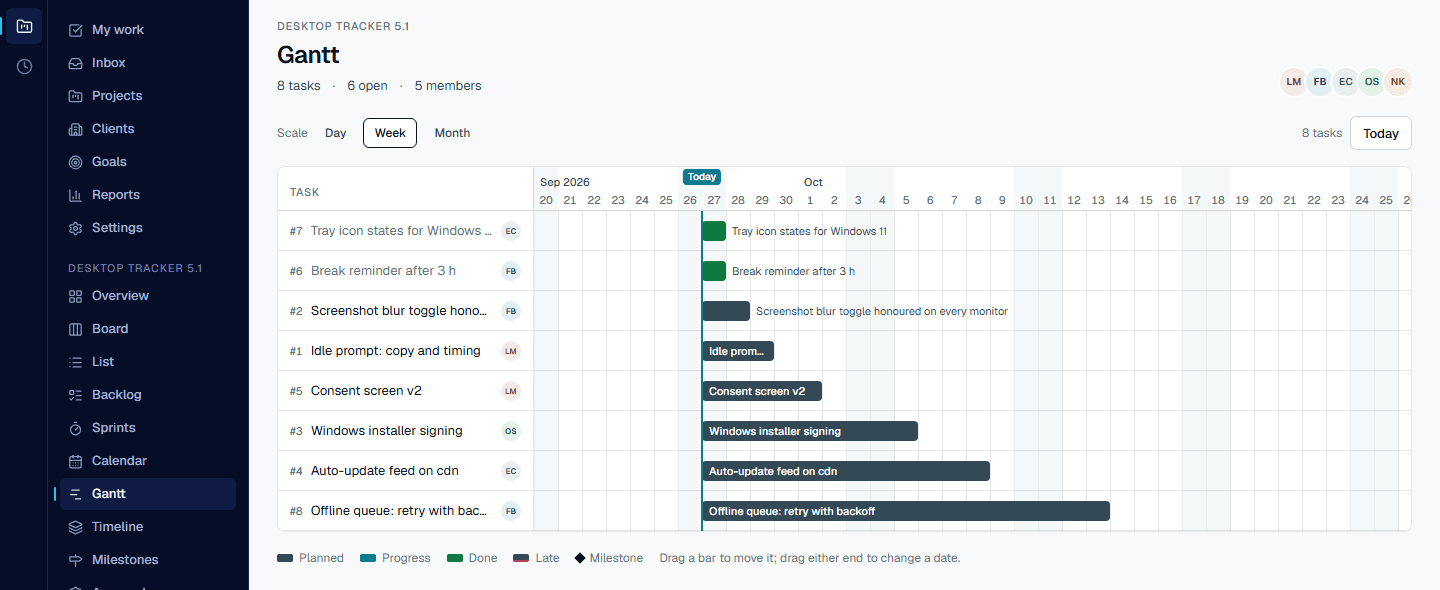
Plan the work in whichever view fits it. Bars on the Gantt move by dragging; a task's dates, priority, subtasks, files, dependencies and comments live in its panel, next to its logged time.
- Planned, in progress, done, late and milestones on one timeline
- Day, week and month scales
- Approvals on tasks, for the work that needs a sign-off before time counts
Webcam checks
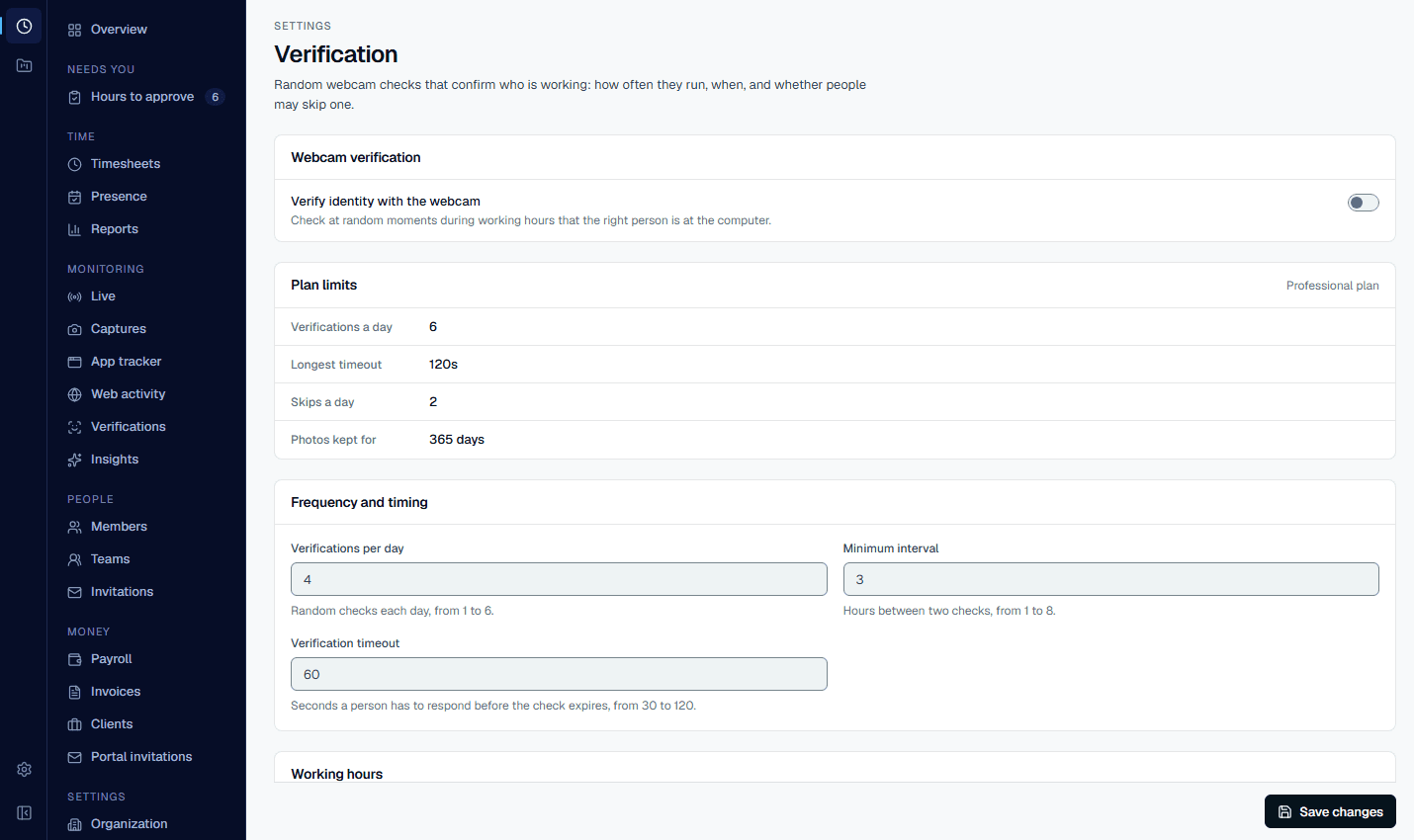
Verification is a setting, with consent written into it.
Turn webcam checks on for the workspace, set how many a day and the hours they may run in, and whether a person can skip one with a reason. The page says what the law asks of you before you switch it on.
- Checks per day, minimum interval and a response timeout
- Working hours: nothing fires outside them
- Skip reasons are recorded for audit; only admins can see the photos
Web workspace
Projects and approvals
Projects
Each project has members, a billing rate and a budget. Spend rises as approved hours arrive against it.
Tasks
Tasks carry their own actual hours, updated when the time logged against them is approved.
Approvals
Managers approve or reject each entry. Rejecting an approved entry takes its hours back out of the task and the budget.
Reports
Filter time by member or by project for any period, and export the time behind the view as CSV, XLSX or JSON, or as files for ClickUp and Zoho Projects.
AI insights
A timeline and a daily summary built from the analysis of each screenshot: what was on screen, in which category, and what was flagged.
Starter and above
Clients
Each client has its projects, each at its own billing rate. Clients receive the invoices and receipts built from approved hours by email, and never see a screenshot.
From approved time
Pay people and bill clients
Only approved hours reach a payroll run or an invoice, so what you pay and what you charge come from the same record.
- Payroll runs
- Approved hours times each member's rate for a period, with overtime. Runs are approved, then marked paid.
- Payslips
- A PDF payslip for every payroll run.
- Invoices
- Built for a client and project from approved billable hours at the project's rate. Download the PDF or email it from the app.
- Receipts
- Marking an invoice paid issues a receipt PDF.
- Exports
- CSV, XLSX and JSON, plus CSV files laid out for importing time into ClickUp and Zoho Projects.
- QuickBooks Online
- Connect a company and push customers and invoices from Ruwad Connect to QuickBooks Online.
Start today
Every plan has all of this. The limits are the difference.
Free holds ten people and three projects with one capture an hour. Starter takes twelve an hour with AI analysis and two webcam checks a day; Professional takes thirty with six checks; Enterprise also takes thirty, the tracker's densest cadence, and sets no plan limit on checks or retention.
- Free
- 10 people · 3 projects · 1 an hour
- Starter
- 12 an hour · 2 checks a day
- Professional
- 30 an hour · 6 checks a day
- Enterprise
- 30 an hour · no plan limit on checks
Access
People, clients and workspaces
Employee invitations
Invite by email with a role. The person accepts, signs in on the desktop and appears in your members.
Clients
Keep a record of each client you bill. Clients do not sign in: invoices and receipts reach them by email, and captures and timesheets stay inside the workspace.
Several workspaces
One sign-in can own or belong to several companies, switch between them, and hold a different role in each.
See it on your own team.
Start on the Free plan with ten people and three projects, no card needed, and move up when you need more captures or webcam checks.